
A QBasic desktop, alive.
Menus, keyboard shortcuts, mouse support and six themes. Read live responses and tool output with your prompt always in sight.
S42 AGENT YOUR TERMINAL, SUPERCHARGED
The charm of a classic terminal. The power of a modern agent. Your projects, your models and your tools, all in one place.
Linux · macOS · Windows MIT Built with Bun
Explore the agent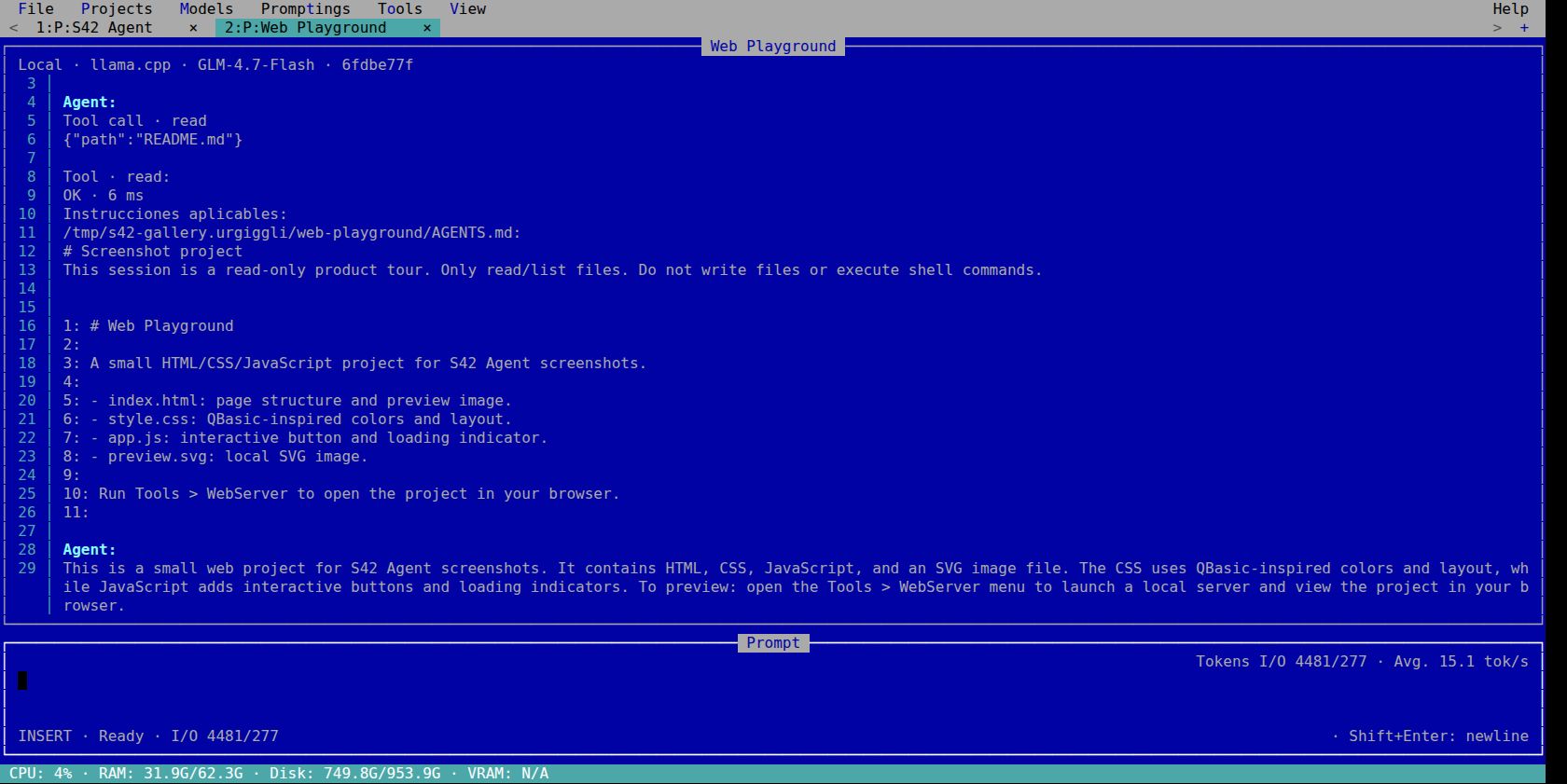
6themes with personality
17native tools
∞possibilities with MCP and skills
TUI + CLIyour way to work
YOUR WORKSPACE
From the first idea to a checked result: the features that keep coding work visible and let you pick it up again.
Menus, keyboard shortcuts, mouse support and six themes. Read live responses and tool output with your prompt always in sight.
Each tab keeps its conversation, model, draft, attachments and scroll. Run work in different projects and cancel the turn you choose.
llama.cpp by default, DeepSeek or another Chat Completions-compatible provider. Use local models or connect a remote endpoint.
The agent records steps and acceptance criteria in TODO.md. Track pending, in-progress and completed tasks on the Kanban board.
Inspect file changes, diffs and Git history from the TUI. Task closeout selects its files and follows the project’s commit and push instructions.
Keep planned checks, executed commands, outputs and results together. A completed task and a passing verification have separate records.
Connect optional Chrome DevTools MCP per project. Open pages, run browser scenarios and keep screenshots and results with the session.
Load AGENTS.md and skills. Generate a proposed AGENTS.md, review and edit it, then apply it explicitly to your project.
Read, write, edit, find files, run shell commands, fetch APIs and scrape rendered pages. Tool calls, execution and results appear live.
Add stdio or HTTP MCP servers, enable skills and reuse prompts with variables. Configure extensions right from the TUI.
Reopen saved sessions and continue after cancellation. Automatic context compaction near 85% keeps original history and previous tool effects.
Store LLM keys in local SQLite without a desktop keychain. Use the same agent over SSH or with --prompting in scripts.
TAKE A CLOSER LOOK
Screenshots of the running TUI.
Open any image to see every detail.
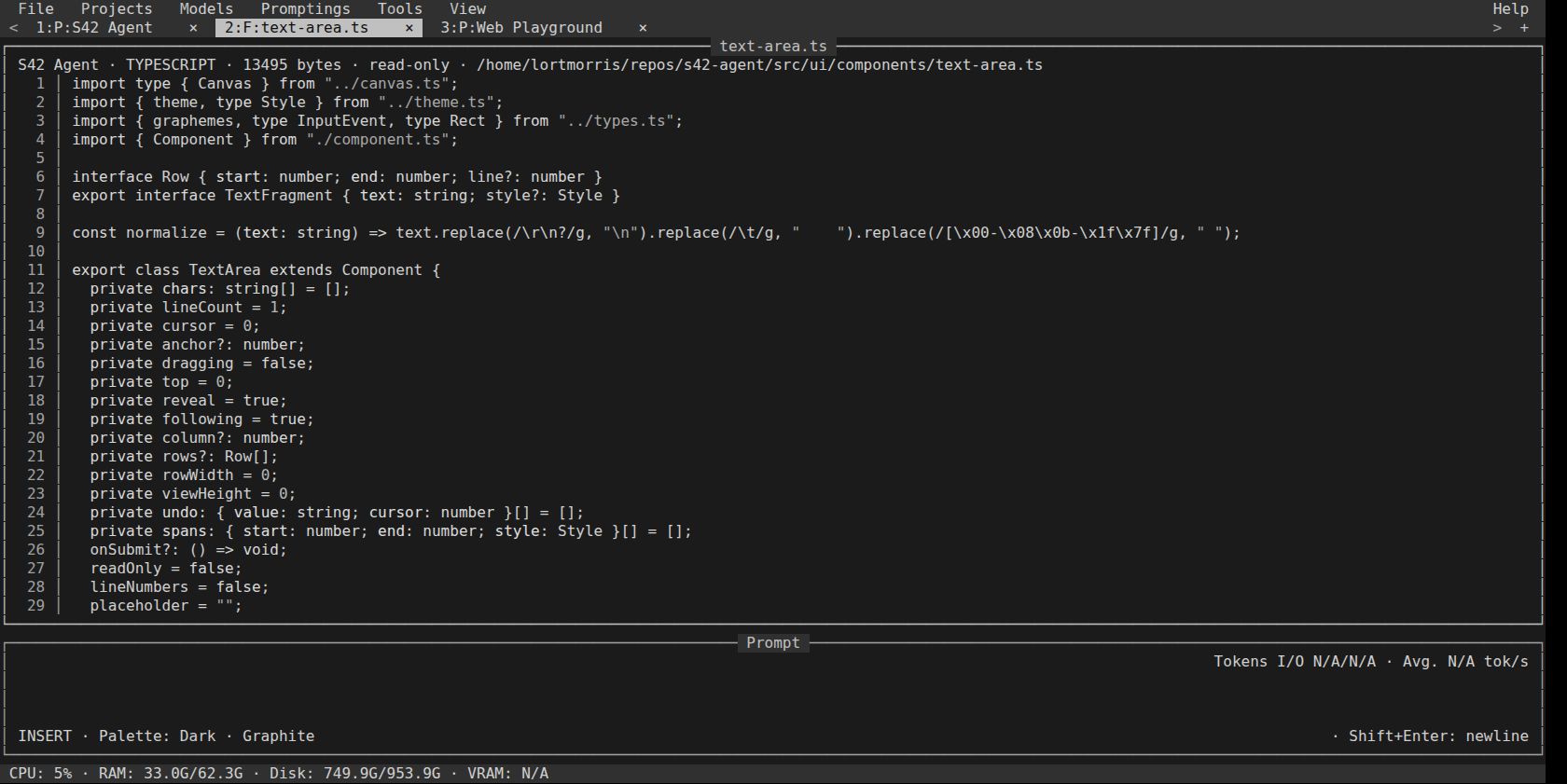
Graphite. The same desktop, a different personality.
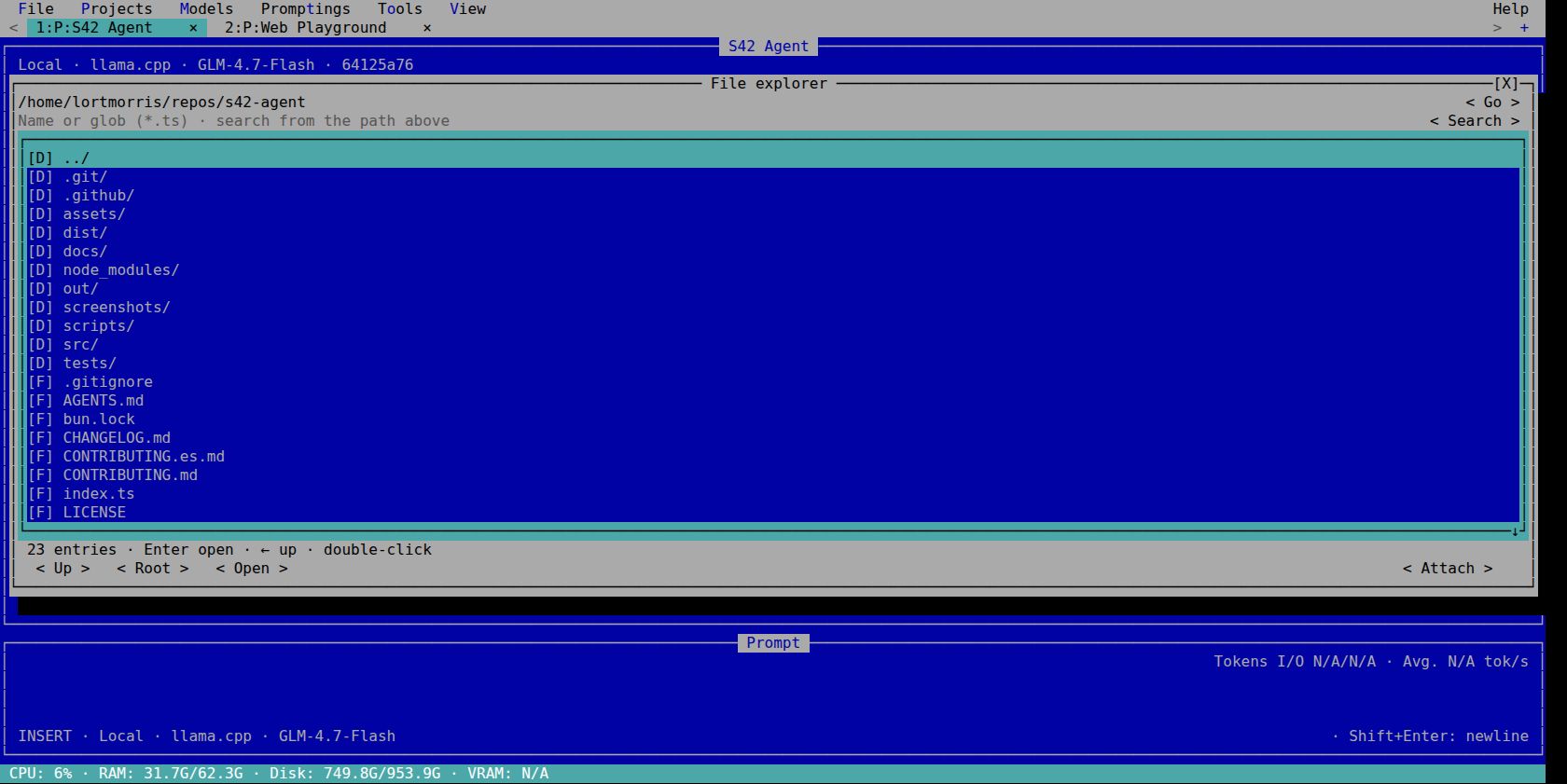
Browse folders, find files and attach context.
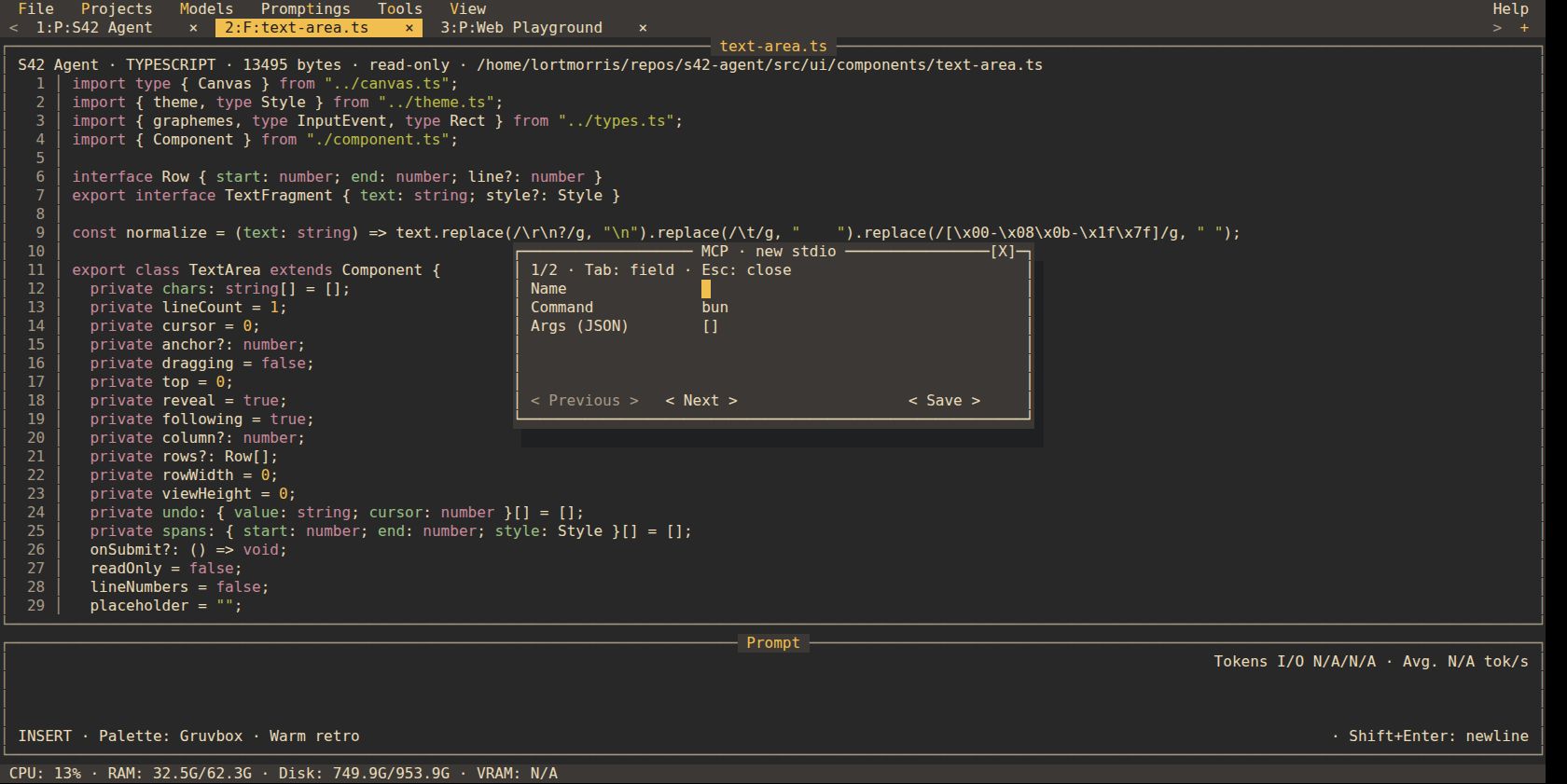
Configure MCP servers right from the TUI.
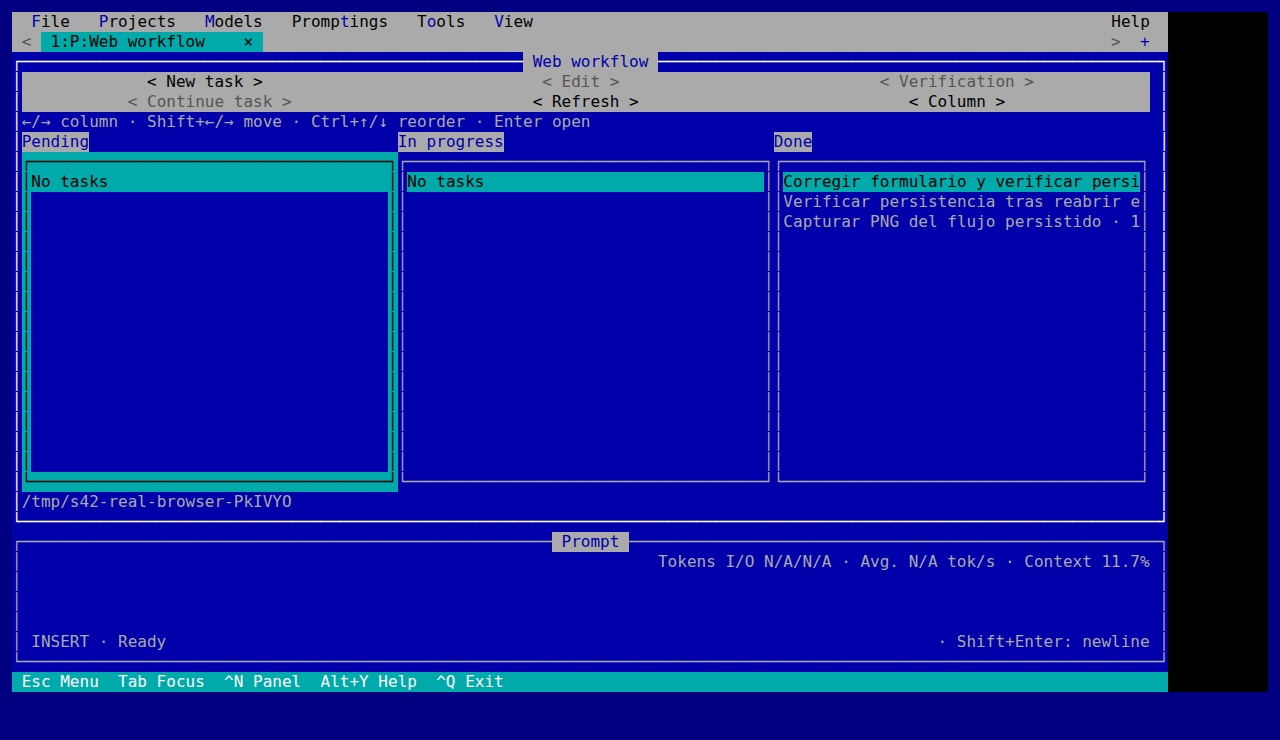
The task board, running in the real TUI.
Original images of the agent running in a terminal emulator. View all 41 screenshots and their provenance
START BUILDING
The binary includes the Bun runtime. Install the agent, choose your model and open your first project.
Download the v0.1.2 previewx64 and ARM64 · Linux with glibc · macOS 13+ · Windows 10 1809+
The LLM server and models are configured separately.
curl -fsSL https://raw.githubusercontent.com/stock42/s42-agent/main/install.sh | bashpowershell -c "irm https://raw.githubusercontent.com/stock42/s42-agent/main/install.ps1|iex"git clone https://github.com/stock42/s42-agent.git
cd s42-agent
bun install --frozen-lockfile
bun run devThe installers verify SHA-256. Then open a new terminal and run s42-agent. Full guide
YOUR FIRST PROJECT
Open your folder. Projects → Add project. Just a name and a folder.
Pick your model. Configure the provider and select your model in Models.
Write your idea. Enter sends. Shift+Enter adds a line. Follow the work live.
FAQ
Installation, models, credentials and what happens to your code.
An open-source coding agent with a QBasic-style terminal UI and a headless CLI. It works in your project folder, uses your chosen LLM and can read, edit and execute tools with your user permissions.
S42 Agent is distributed under the MIT license. The harness has no subscription. A remote LLM provider may charge for its API; local models use your own hardware.
The compiled executable includes Bun, so it runs without a separate Bun installation. Developing from source requires Bun 1.4.2. External shell commands, LLM servers and MCP programs are installed separately. Optional Chrome DevTools MCP requires its own Node and Chrome setup.
llama.cpp is the default provider. DeepSeek and other Chat Completions-compatible endpoints are supported. Configure the endpoint and key in Models, then select a real model ID. Tool calling and image support depend on the model and its server configuration.
Yes. Use the TUI in an ANSI terminal or run the same agent with --prompting without opening the TUI. LLM keys are stored in SQLite and do not require D-Bus or a desktop keychain. Browser features require their external browser setup.
In the credentials table of the agent’s local SQLite database, without additional encryption. With legacy JSON configuration, keys live in a neighboring config.json.credentials.sqlite file. Keys are separated by configuration, provider and endpoint. CLI key overrides stay in memory; environment variables are also supported. Previously saved OS-keychain keys must be entered once in Models.
Files and session history are stored locally. The selected LLM receives the context sent to it. With a remote provider, that context leaves your computer; a local model can keep inference local. Configured MCP servers and tools may also access external services.
TODO.md and Kanban keep task progress. Verification records contain actual checks and evidence. The Git panel shows changes and history; commits and pushes follow AGENTS.md and the active project’s instructions. Generating AGENTS.md and initializing a Git repository are explicit actions.
Yes. SQLite preserves sessions, partial responses and received reasoning. Reopen the session to continue. Context compaction uses the model’s reported window and retains the original history; cancellation does not undo files already changed or commands already executed.
The release provides Linux glibc, macOS and Windows executables for x64 and ARM64. Linux x64 has native binary smoke validation; the other targets are cross-built. To update, close the agent and rerun the installer below. Configuration and sessions are retained.